Viewing Your Usage
Open My lines from the navigation to see how your line (or lines) is tracking this billing period. The page has two parts: a card for each of your lines, followed by a combined summary of all your lines together.
Each of your lines
Every line you hold gets its own card showing its current status and details.
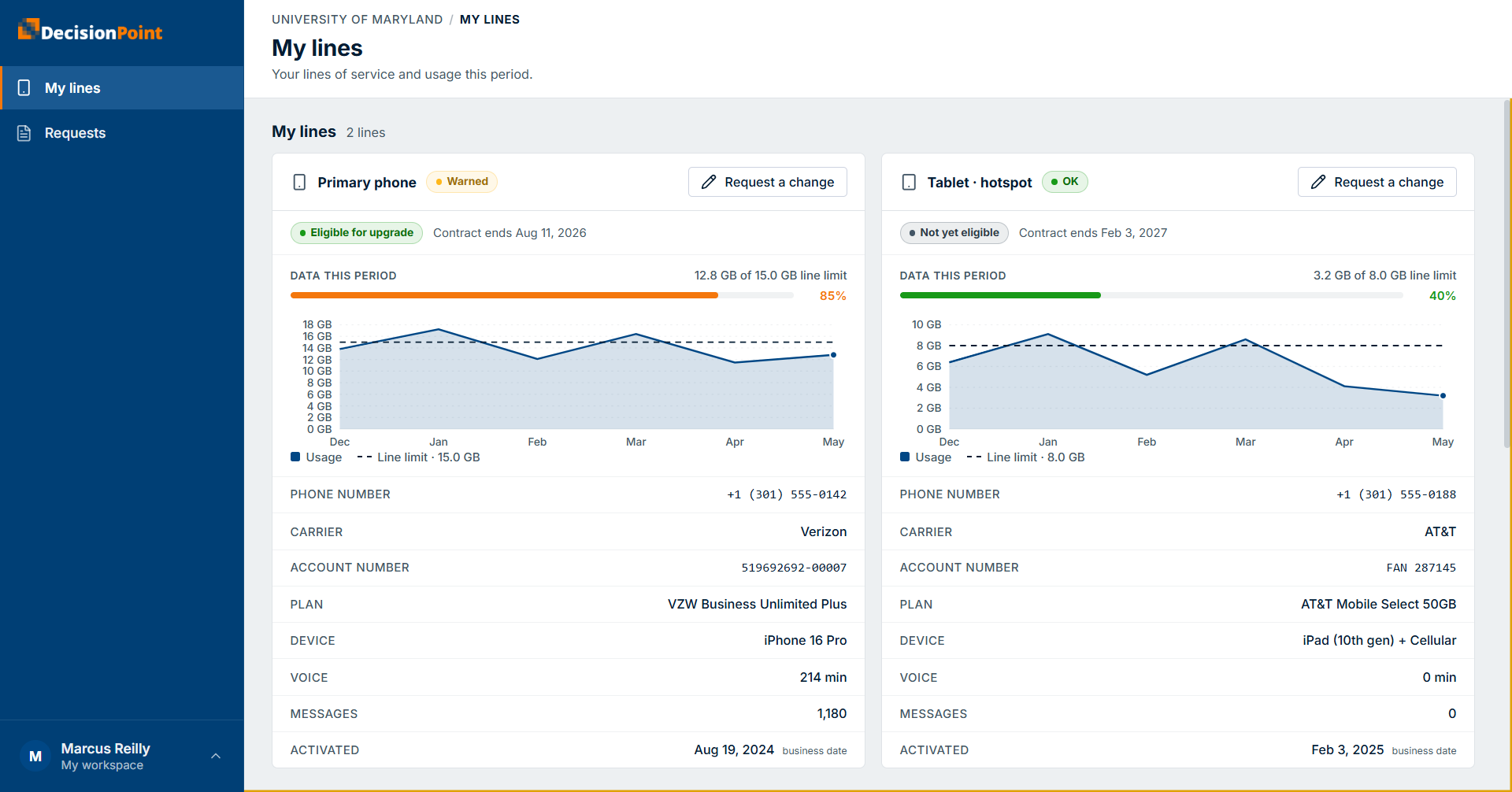
Each card shows:
- A status — for example OK, Warned (trending toward its limit), or over — so you can tell at a glance which lines need attention.
- Upgrade eligibility and the contract end date. When a line is eligible for upgrade, you can request one — see Submitting a Request.
- Data this period against the line's own limit, with a percentage and a chart of recent months.
- Line details — phone number, carrier, account number, plan, device, voice minutes, messages, and activation date.
All your lines combined
Below the individual cards, a combined summary shows your total usage across all your lines for the current period.
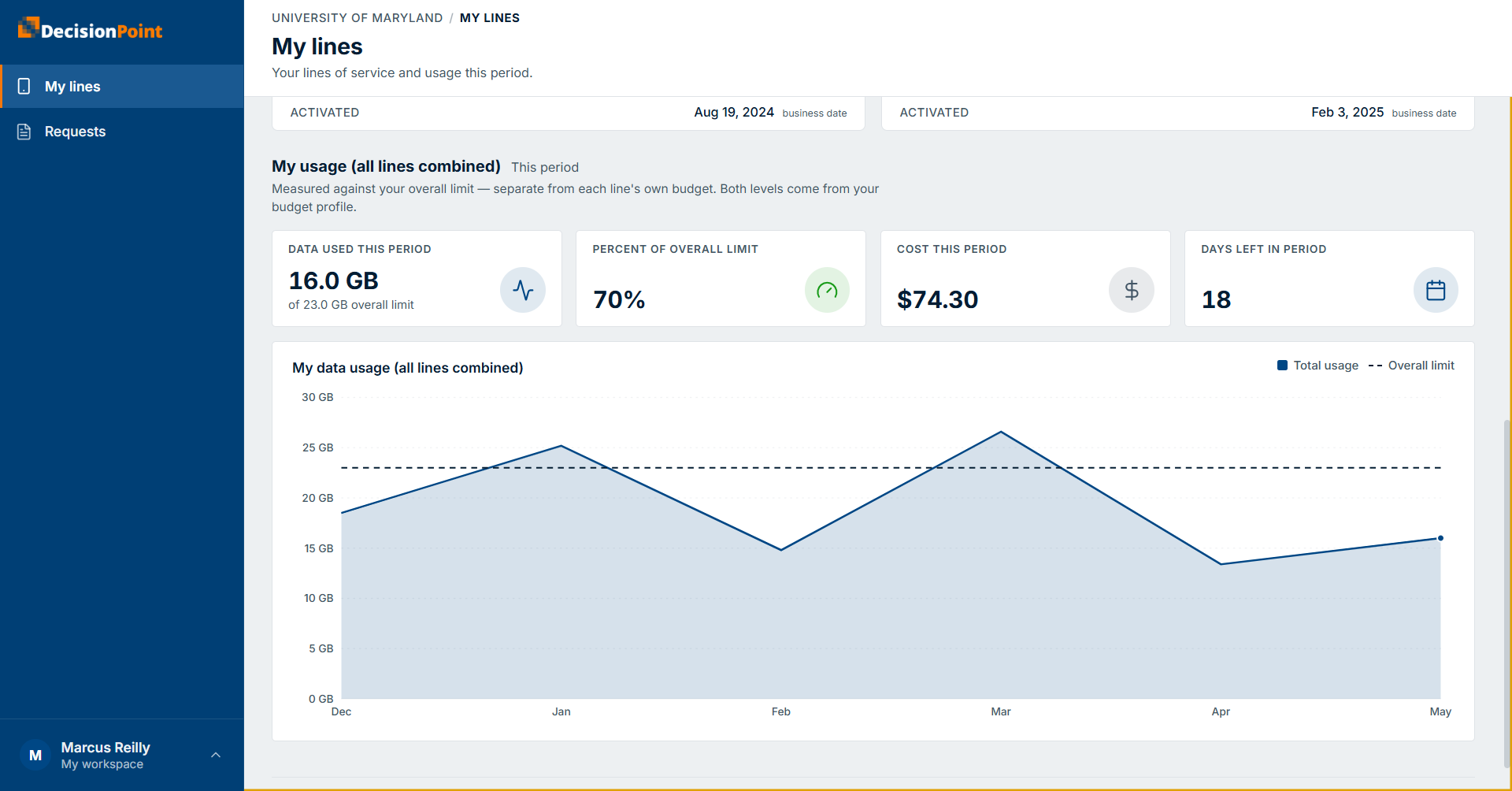
This section measures your total against your overall limit, which is separate from each line's own limit — both levels come from your budget profile. It highlights:
- Data used this period, against your overall limit.
- Percent of your overall limit used so far.
- Cost this period and days left in the period.
- A chart of total usage against the overall limit over recent months.
Two budget levels
A line can be within its own limit while your combined total is trending over your overall limit (or the reverse). That's why the page shows both — check the level that matters for what you're doing. See Understanding Usage & Budgets.
Your usage history
To review closed billing periods, open your usage history. History shows the final, billed amounts for each past period, so you can spot trends over time.
📷 Screenshot: usage-my-history.png
Usage across recent closed billing periods.
Why current and past numbers can differ
Current-period figures are estimates from in-period data (unbilled). History shows confirmed amounts after the carrier's invoice is processed (billed), so the two can differ slightly. See Understanding Usage & Budgets.
Related
- Understanding Usage & Budgets — the concepts behind these views.
- Overage Alerts Explained — how the portal warns you.