Equipment Packages Administrators
An equipment package bundles the devices, plans, and approval rules that apply to a group of people. When someone submits a device request, the package determines which devices and plans they can choose and whether the request needs approval. Packages live under Settings → Catalog → Equipment packages, and are matched to people by Package Assignment Rules.
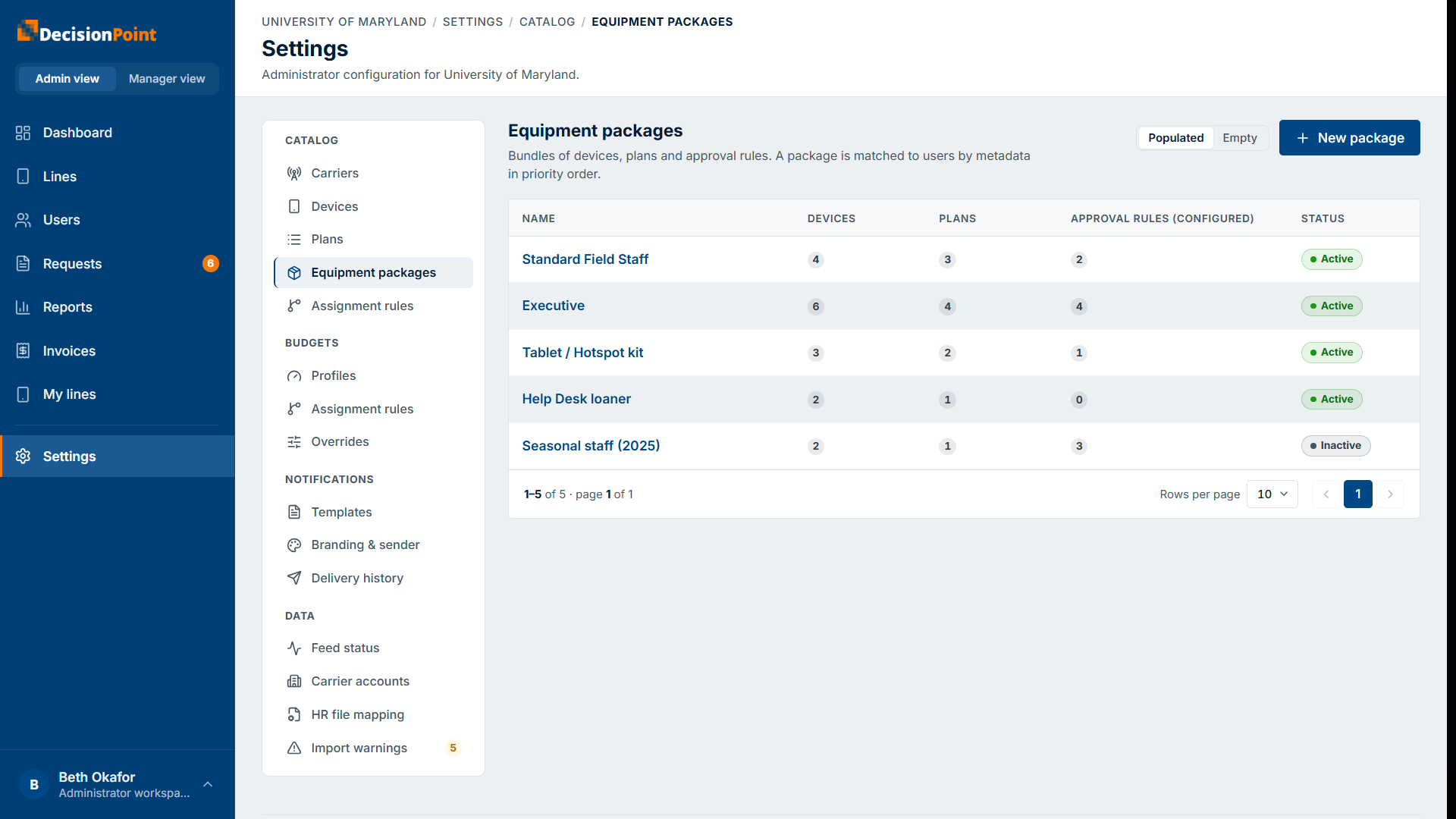
Each package shows how many devices, plans, and approval rules it has, and its status. Select New package to create one, or open a package to edit it — both use the same four-part builder.
1. Details
Give the package a name and optional description, and set whether it's Active. Inactive packages can't be assigned to new users.
2. Devices
Add devices from your device catalog and drag to set the order they appear in. Mark each one Included or BuyUp:
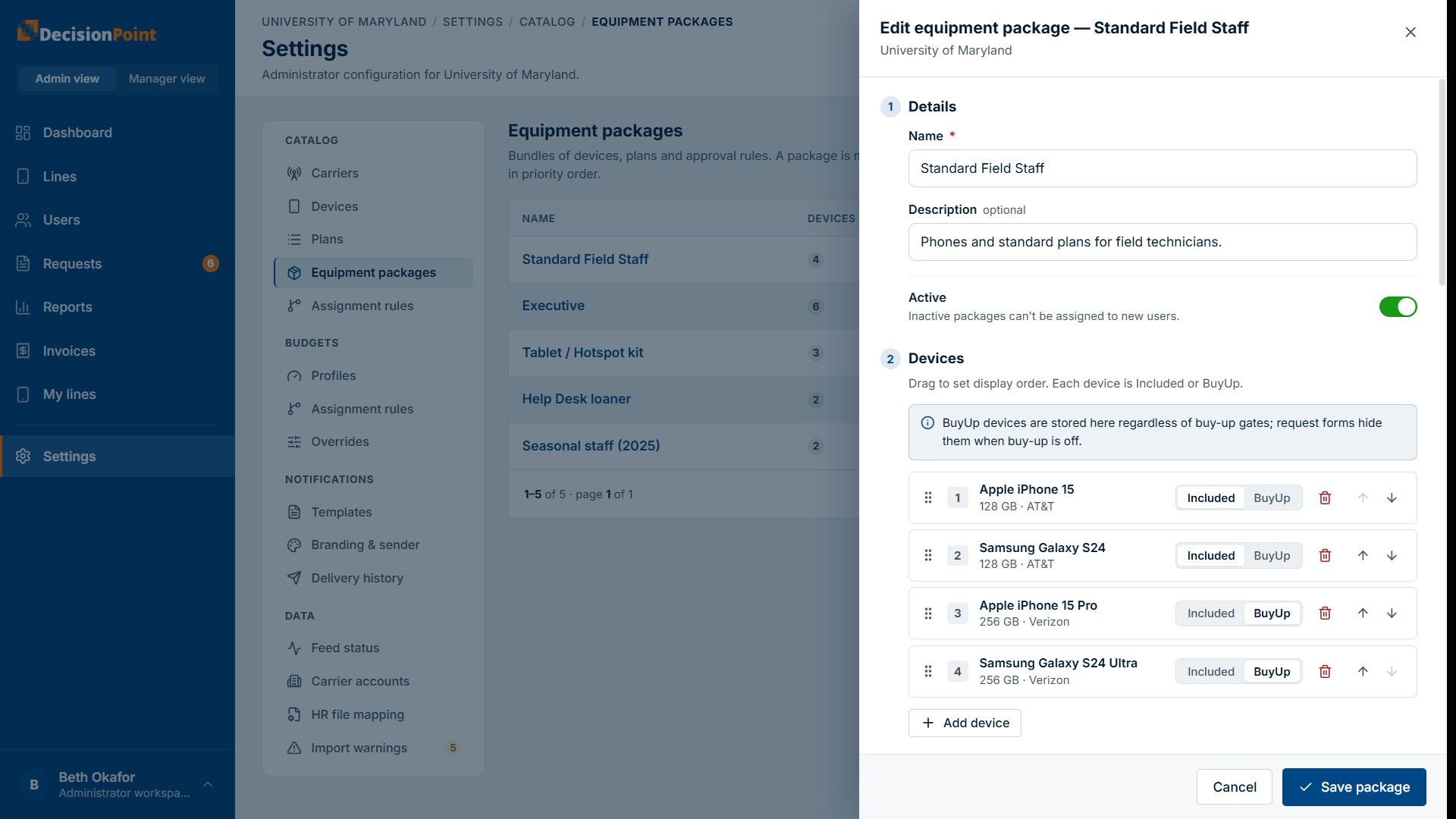
- Included devices are covered by the package — the user pays nothing.
- BuyUp devices carry an added cost the user pays the carrier directly.
BuyUp devices stay in the package even when buy-up is turned off for a person — the request form simply hides them for that user (see the buy-up setting in Managing Users).
3. Allowed plans
Select the plans this package offers, from the plans on your enabled carriers (see Plans Catalog). These are the plans a requester can be put on for a new line — though for a new line the plan is set by the package automatically.
4. Approval rules
Set one rule per approvable request type (new line of service, upgrade, device replacement, service change). Technical support always auto-approves and has no rule.
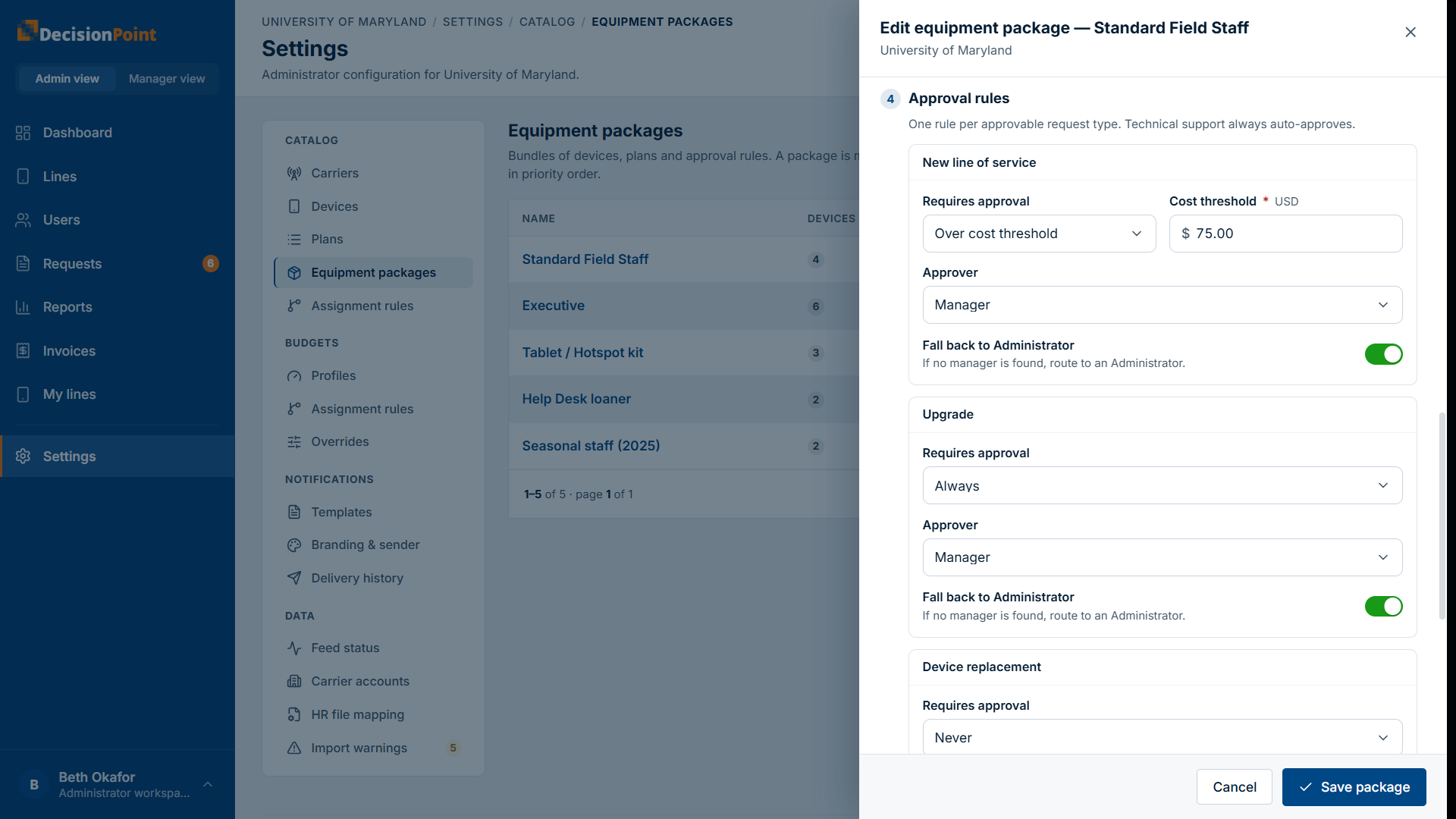
For each type, choose:
- Requires approval — Always, Over cost threshold (then enter a dollar cost threshold — the device's contract cost is checked against it), or Never.
- Approver — Administrator or Manager.
- Fall back to Administrator — when the approver is the person's Manager, route to an Administrator if no manager is found.
Related
- Package Assignment Rules — how packages reach people.
- Device Catalog · Plans Catalog
- Approving Requests — the approver's side.