Invoices Administrators
Open Invoices to review your organization's monthly carrier invoices, one per carrier account per billing period.
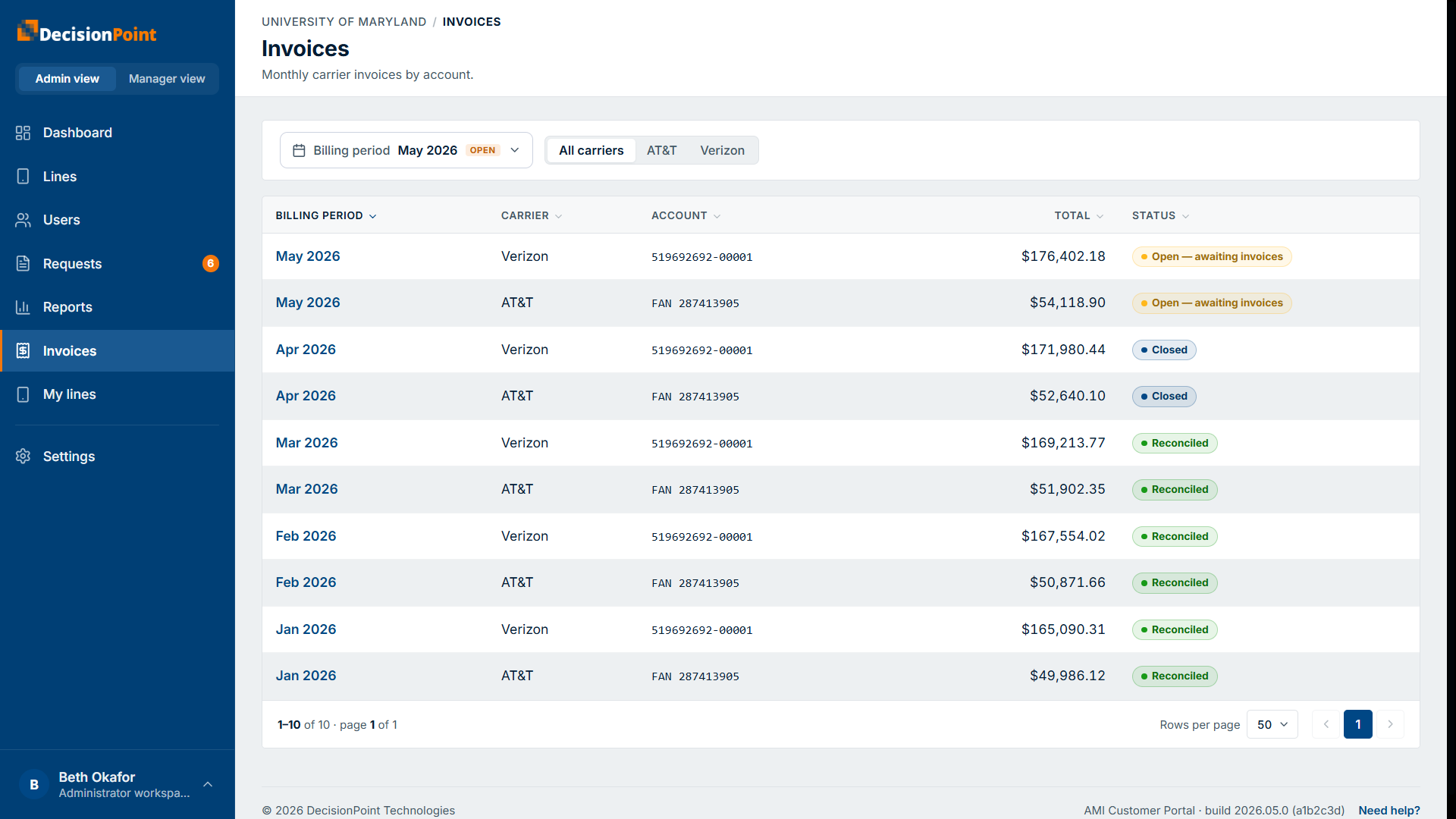
The invoice list
Filter by billing period and carrier. Each row is a carrier account for a period, with its total and a status:
- Open — awaiting invoices — the period is still collecting carrier invoices; it closes automatically once they're all processed.
- Closed — all invoices for the period are in.
- Reconciled — the period is closed and reconciled.
An invoice's detail
Select a row to open the invoice.
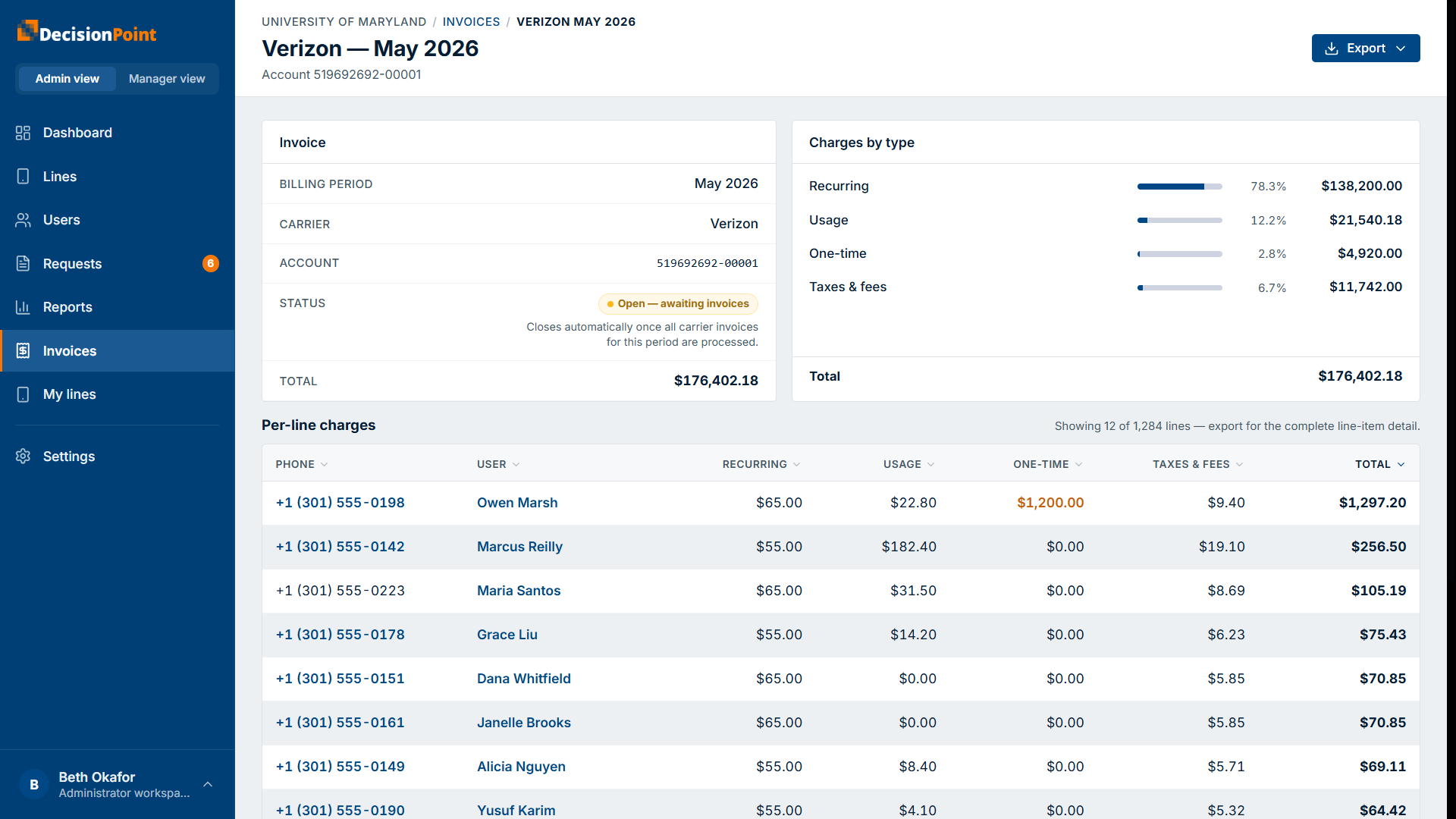
- A summary — billing period, carrier, account, status, and total.
- Charges by type — how the total splits across recurring, usage, one-time, and taxes & fees.
- Per-line charges — what each line contributed (recurring, usage, one-time, taxes & fees, and total). The page shows a sample of lines; use Export for the complete line-item detail.
Invoices vs. usage reports
Invoices are the billed amounts from the carrier for a closed (or closing) period. For in-period, still-accumulating usage and budget tracking, use the Organization Usage & Reports views.