Overage Alerts Explained
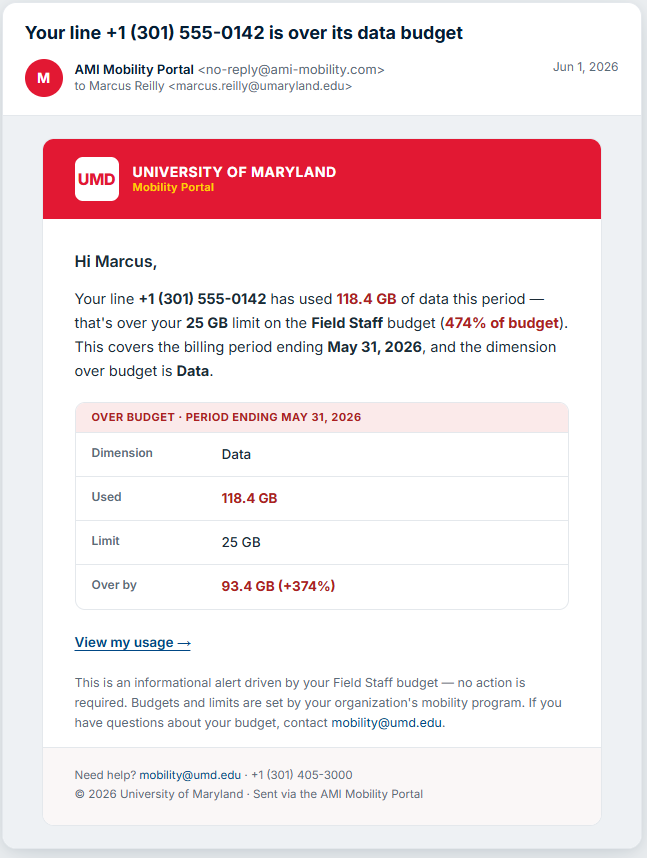
An overage alert lets you know when a line is trending over — or has gone over — its budget for the current billing period, so there are no surprises when the invoice arrives.
What triggers an alert
As usage accumulates during a billing period, the portal projects where the line will finish and compares that to the line's budget. When the projection crosses the budget, the portal sends an alert.
Alerts only apply to lines that have a budget. Lines without a budget are tracked but don't generate overage alerts — see Understanding Usage & Budgets.
When alerts arrive
The portal is designed to be helpful, not noisy:
- Early in a period, brief spikes are common and often even out. The portal waits until there's enough of the period behind you for a projection to be meaningful before alerting.
- If a line keeps trending over, you may receive a follow-up alert later in the period.
- If usage slows back down and the line comes back within budget, the portal recognizes the improvement and eases off.
How alerts reach you
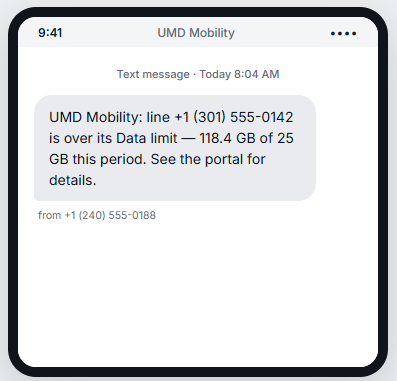
Alerts are delivered by email and/or text message, in your preferred language. You control whether you receive usage alerts under Your Profile & Preferences. The text message version is a short summary — line, dimension, and how far over the limit — that points you back to the portal for the full picture.
Who else can see overages
- Managers may receive a summary of their team's overages.
- Administrators can see overages across the organization.
This is so the people responsible for a line or a team can help address usage, not just the individual user.