Plans Catalog Administrators
The plans catalog holds the carrier plans available to your equipment packages, under Settings → Catalog → Plans. There are two kinds:
- Standard plans — published carrier plans, managed by DecisionPoint. You can see them (and use them in packages) but not edit them.
- Custom plans — plans negotiated as part of your contract. These are yours to manage.
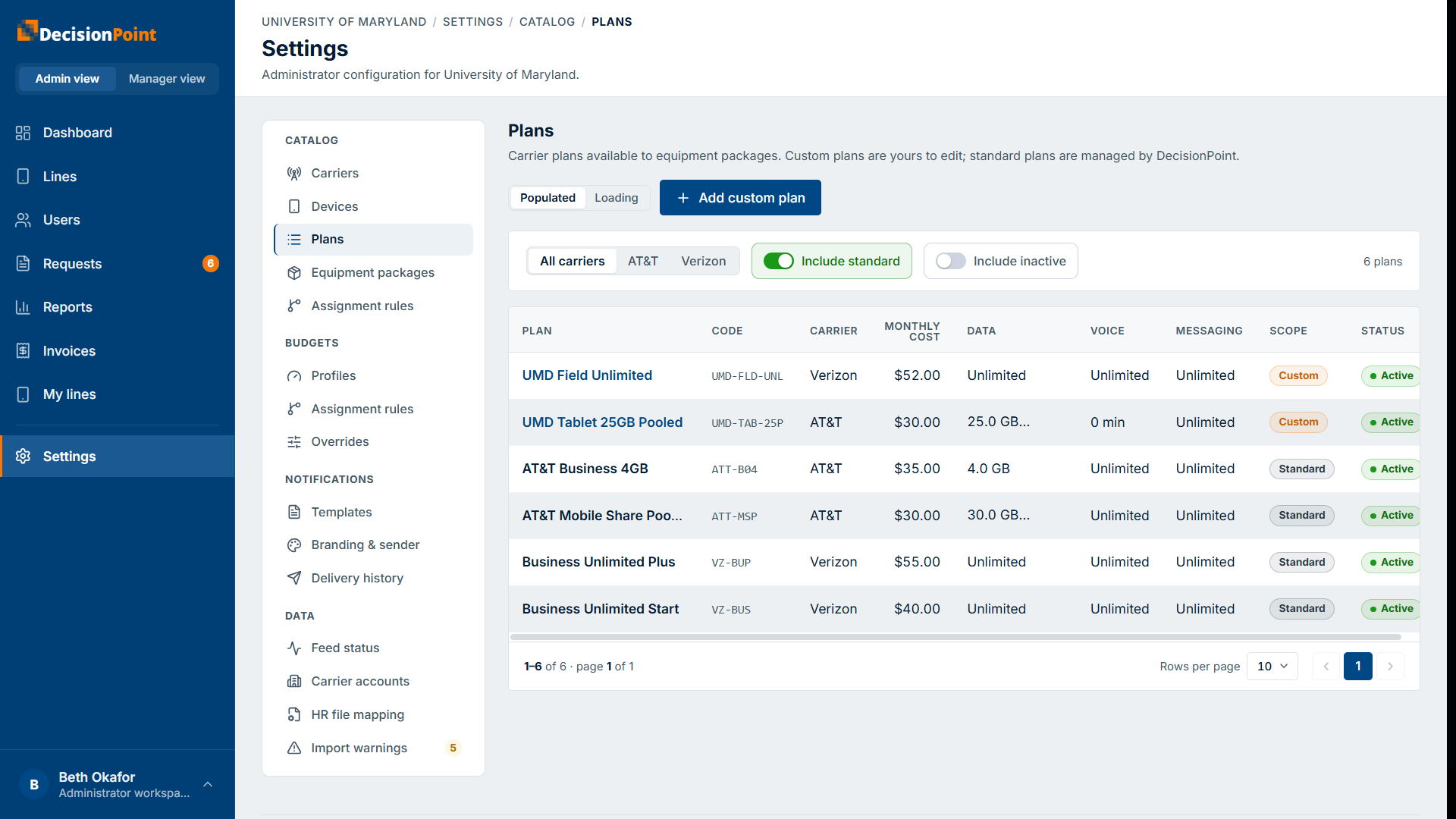
Each row shows the plan's code, carrier, monthly cost, its data / voice / messaging allowances, and a scope badge (Custom or Standard). Filter by carrier, toggle Include standard to show or hide the DecisionPoint-managed plans, and Include inactive to see retired plans.
Adding a custom plan
Select Add custom plan to create one for your organization.
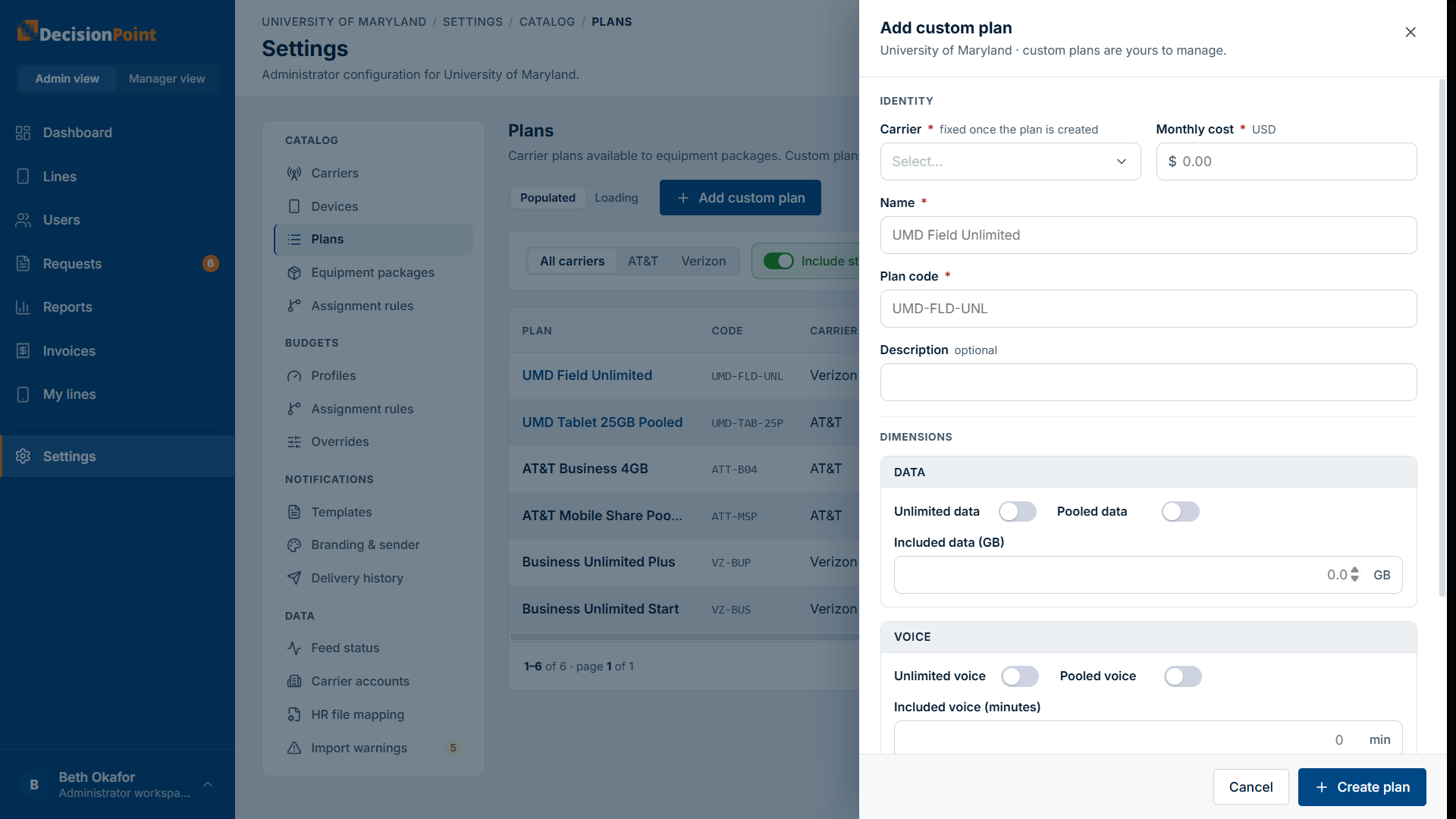
- Identity — the carrier (fixed once the plan is created), monthly cost, a name, a plan code, and an optional description.
- Dimensions — set the data, voice, and messaging allowances. Each can be unlimited, pooled (shared across the lines on the plan), or a specific included amount.
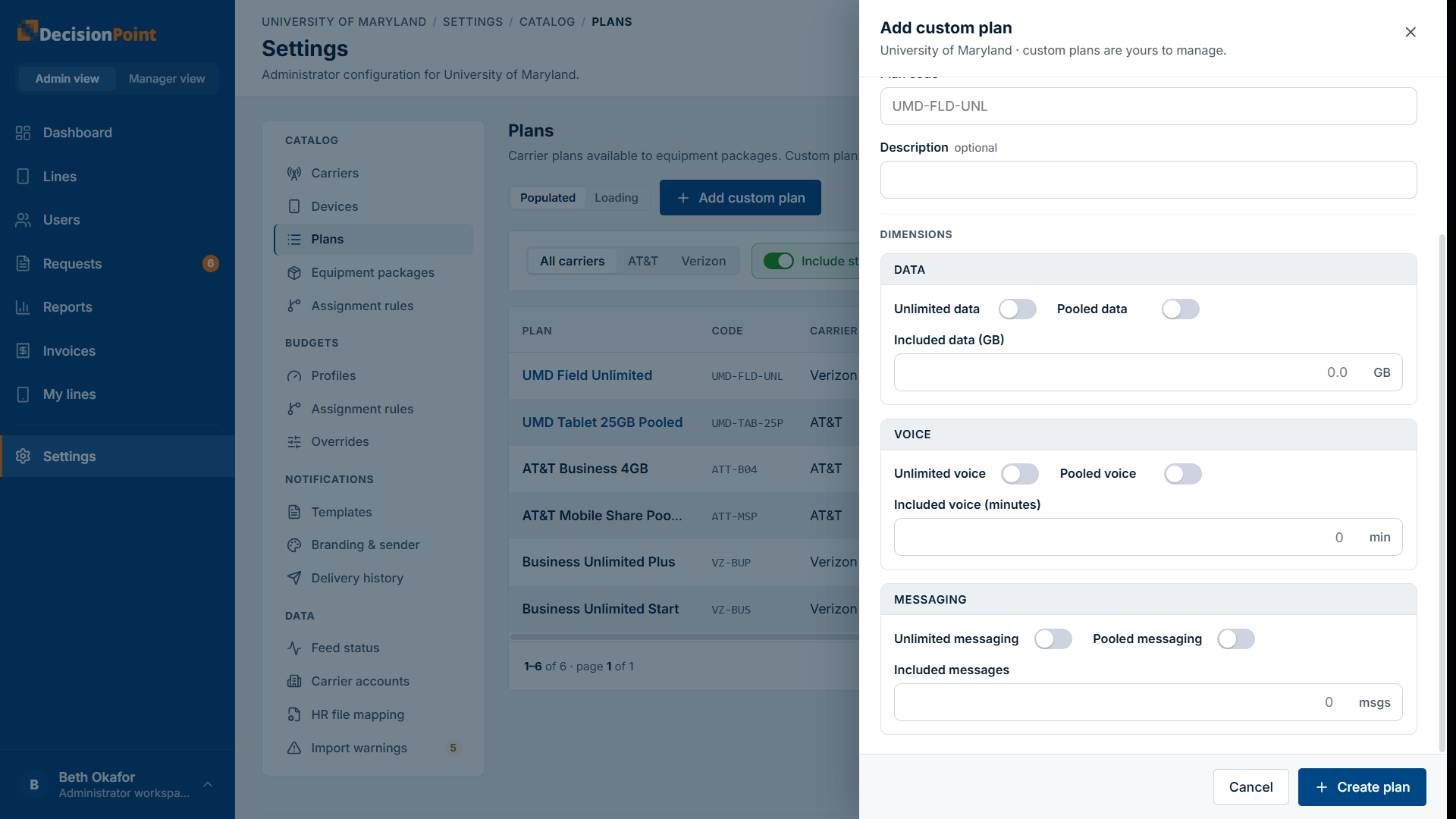
Custom plans can be deactivated (not deleted), keeping historical references intact.
Related
- Carriers — plans are scoped to enabled carriers.
- Device Catalog
- Administration overview