File Feeds & Data Health Administrators
The portal is kept up to date by scheduled file feeds — usage, line, and invoice files from your carriers, your HR file, and your MDM device feed. Two screens under Settings → Data let you confirm those feeds are arriving and review anything the import flagged.
Feed status
Feed status shows when each of your data feeds last arrived and how it processed.
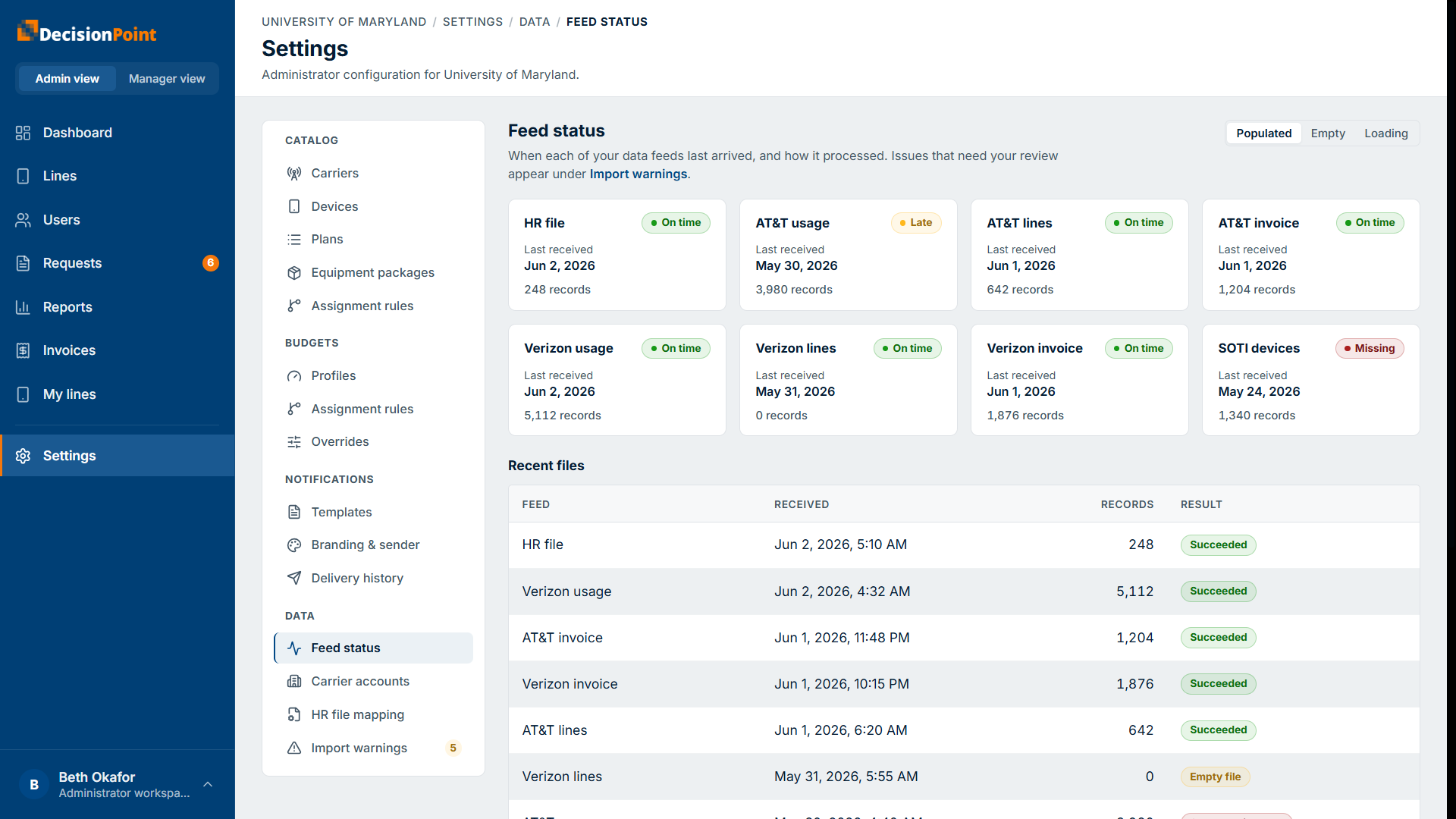
- A card per feed — HR file, each carrier's usage / lines / invoice files, and the MDM device feed — with a status (On time, Late, or Missing), the last-received date, and the record count.
- A Recent files table listing the latest arrivals with their record count and result (Succeeded, Empty file, and so on).
A Late or Missing feed is worth following up on — contact DecisionPoint if a feed you expect isn't arriving.
Import warnings
Import warnings lists non-fatal issues the import flagged for review. These didn't stop the import — they're things worth a look, such as a record whose email collides with another, a value that had to be converted a fallback way, or a detected billing-period reset.
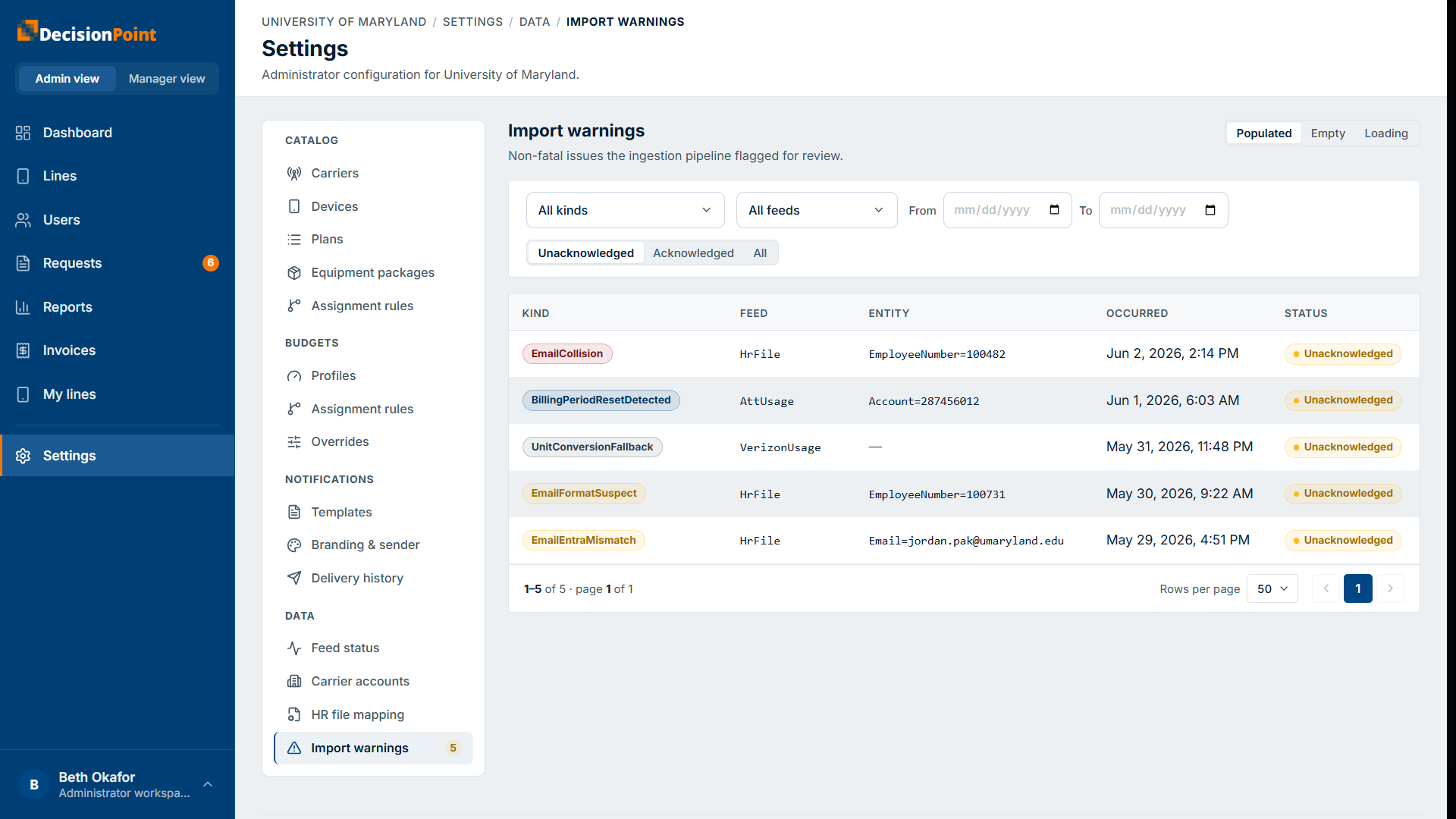
- Filter by kind, feed, or date, and switch between Unacknowledged, Acknowledged, and All.
- Each row shows the kind of issue, the feed it came from, the affected entity, when it occurred, and its status.
- Acknowledge an item once you've reviewed it, to clear it from the unacknowledged list.
Where user-import issues show up
Problems with your HR file — a duplicate email, a suspect email format, a name that doesn't match sign-in records — appear here, on the HR-file feed. See Bulk User Import.
Related
- Bulk User Import — how people are created from the HR file.
- Administration overview