Budgets Administrators
Budgets set the usage and cost limits that drive overage alerts and the budget figures across the portal. You define budget profiles, decide how they reach each person, and set overrides for exceptions — all under Settings → Budgets.
Budget profiles
A budget profile is a reusable set of limits. The list shows each profile's per-line data and cost limits and its user max lines.
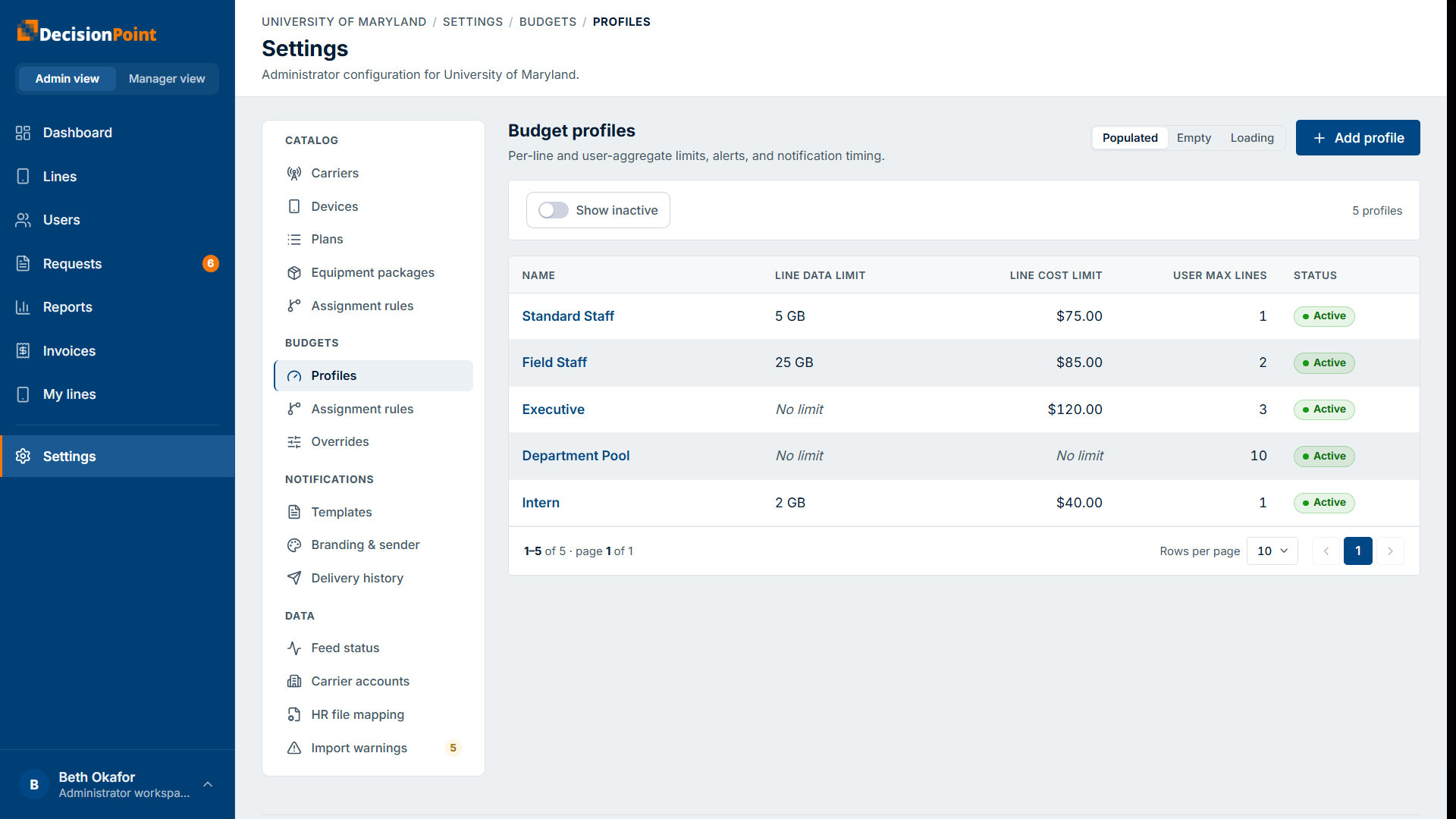
Select Add profile to create one, or open a profile to edit it. A profile has:
- Per-line limits — applied to each line individually: data, voice, messaging, and cost.
- User-aggregate limits — applied across all of a person's lines combined, such as user max lines and total data.
- Alerts and notification timing — when warnings and overage notices go out.
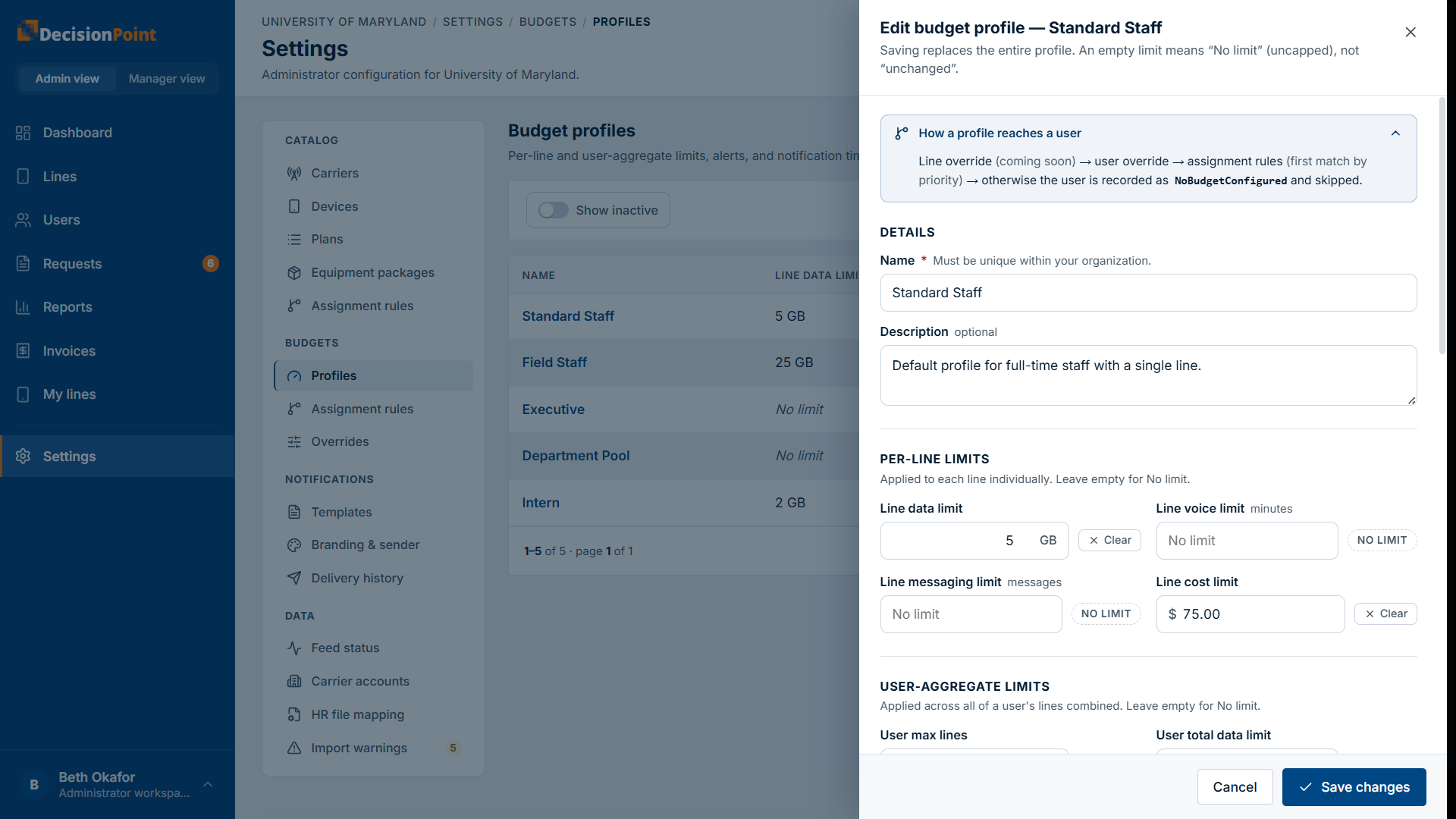
An empty limit means "No limit"
Saving replaces the entire profile. Leaving a limit empty sets it to No limit (uncapped) — it doesn't mean "leave unchanged." Use Clear / No limit deliberately.
How a profile reaches a person
For each person, the portal resolves the budget in this order, using the first one it finds:
- Line override — set on an individual line.
- User override — assigned directly to the person.
- Assignment rules — the first rule that matches, by priority.
- Otherwise the person is recorded as having no budget configured and is skipped for budget alerts.
Budget assignment rules
Like package assignment rules, budget assignment rules map people to a budget profile by priority — the lowest-priority matching rule wins — matching on job code, title, or Any.
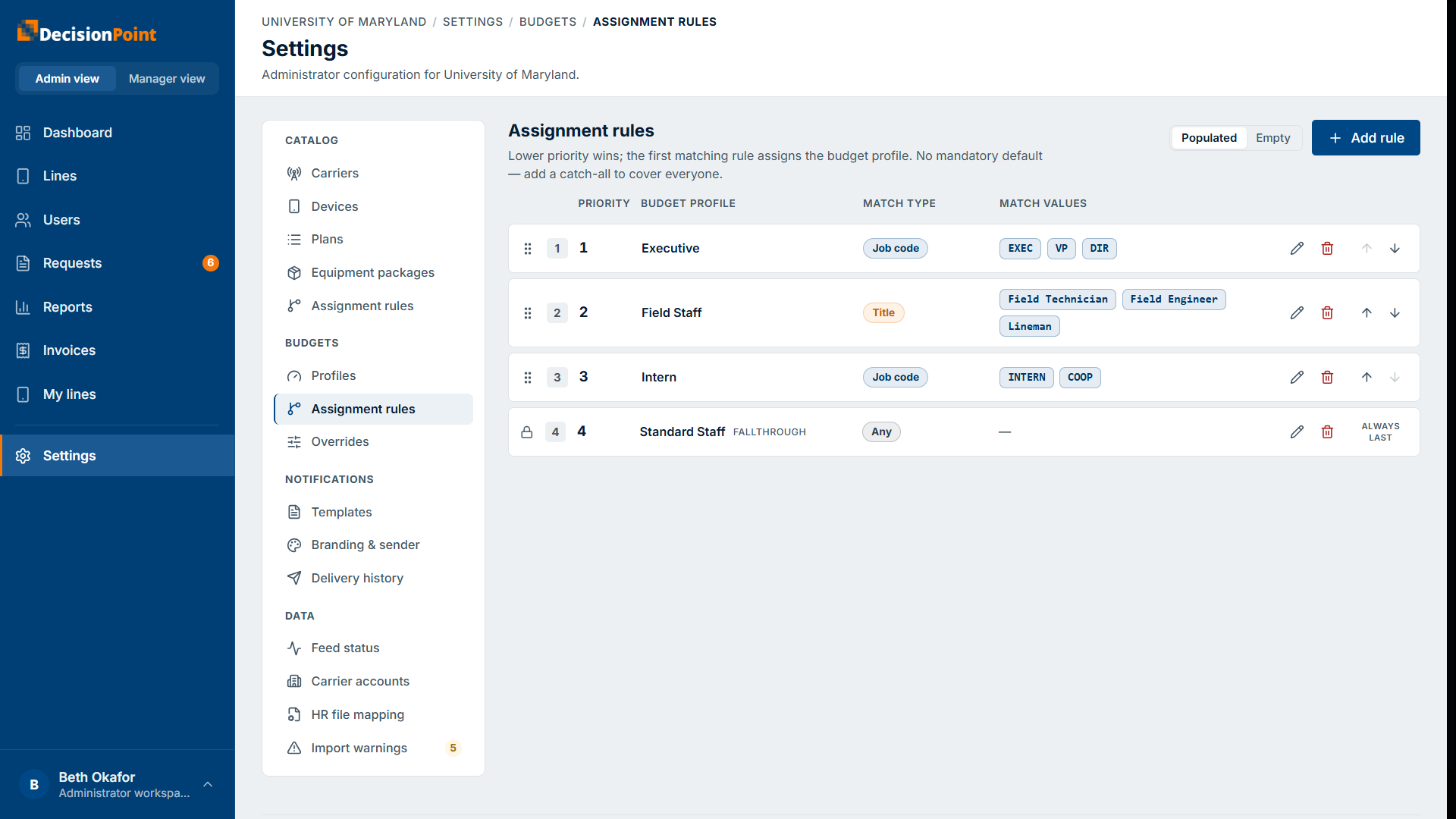
There's no mandatory default, so add an Any rule as a fallthrough to cover everyone who isn't matched by a more specific rule (otherwise unmatched people fall through to no budget configured, per the resolution order above).
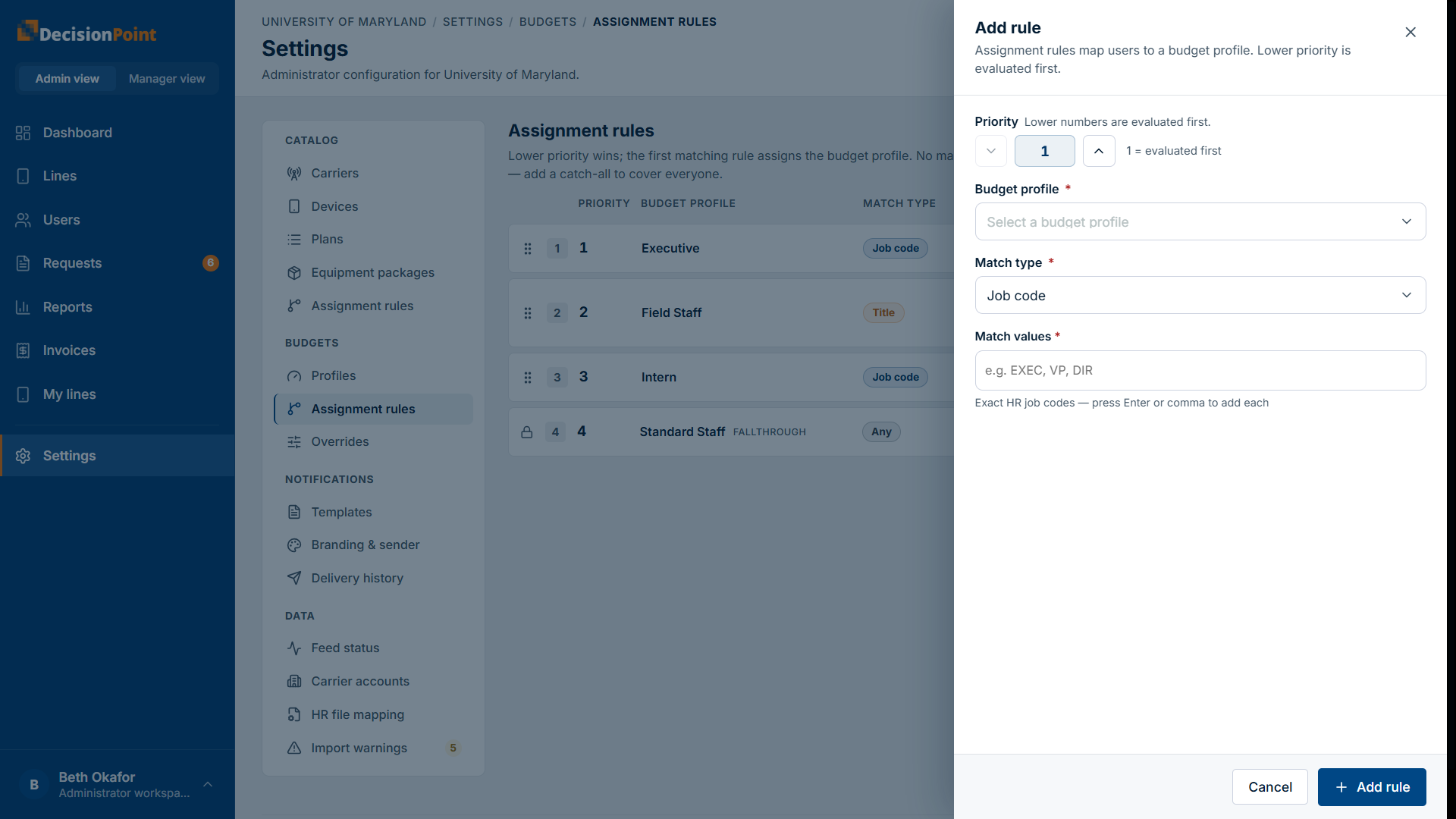
To add one, select Add rule and set its priority, the budget profile to assign, and the match type + match value.
As with package rules, a Job code entry accepts several codes separated by commas — each is saved as its own rule at the priority you entered, pointing at the same profile. Titles are never split on commas.
Overrides
Overrides assign a profile directly, taking precedence over the assignment rules.
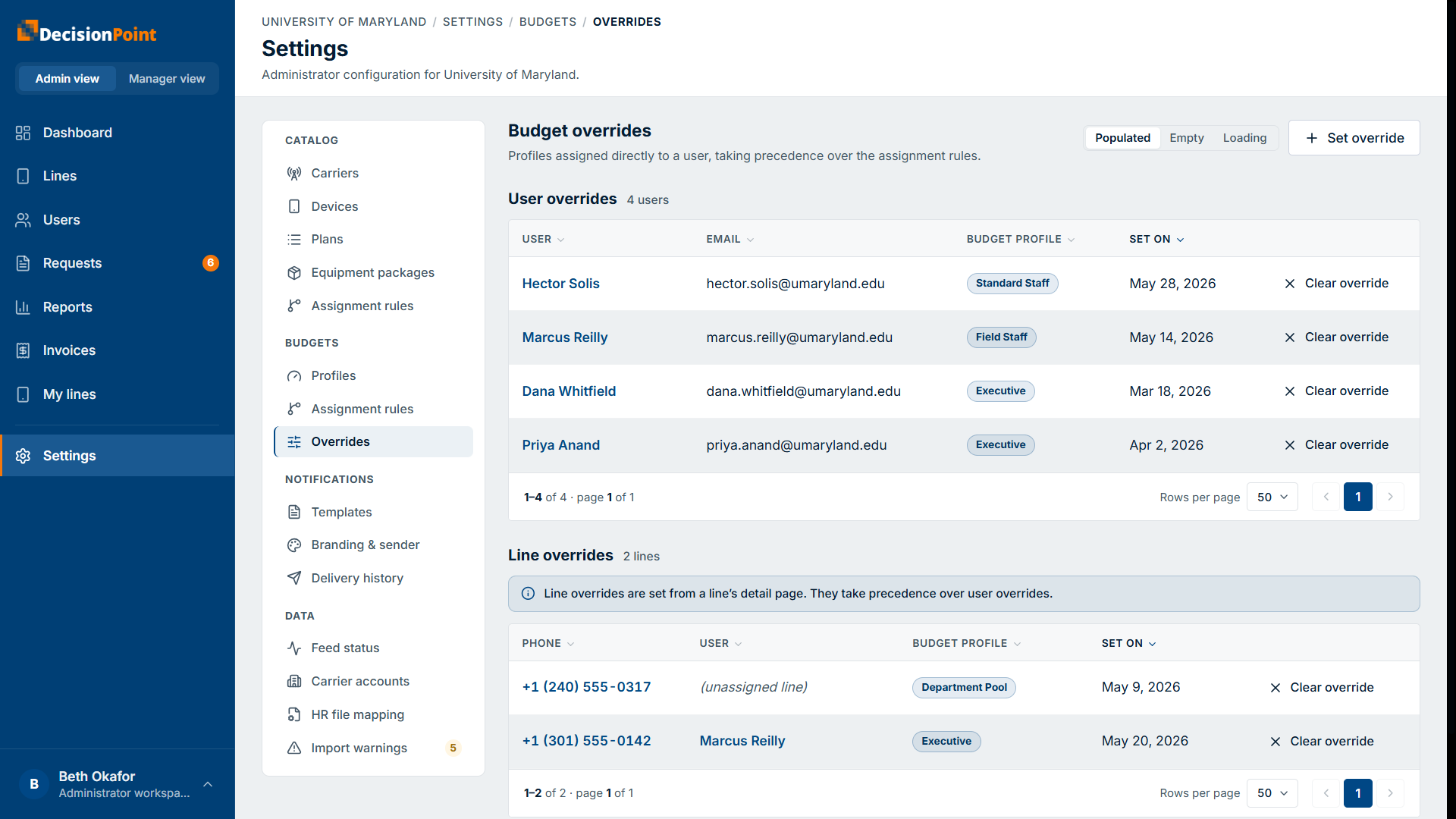
- User overrides — assign a profile to a specific person. Set or clear them here.
- Line overrides — assign a profile to a specific line. These are set from a line's detail page and take precedence over user overrides.
You can also set a person's override (or clear it) from their profile — see the budget-override card in Managing Users.
Related
- Overage Alerts Explained — what these limits trigger.
- Managing Users — per-person override and buy-up.
- Administration overview