Device Catalog Administrators
Your device catalog is the set of devices your organization offers, with the prices you've negotiated. These are the devices available when building equipment packages. Find it under Settings → Catalog → Devices.
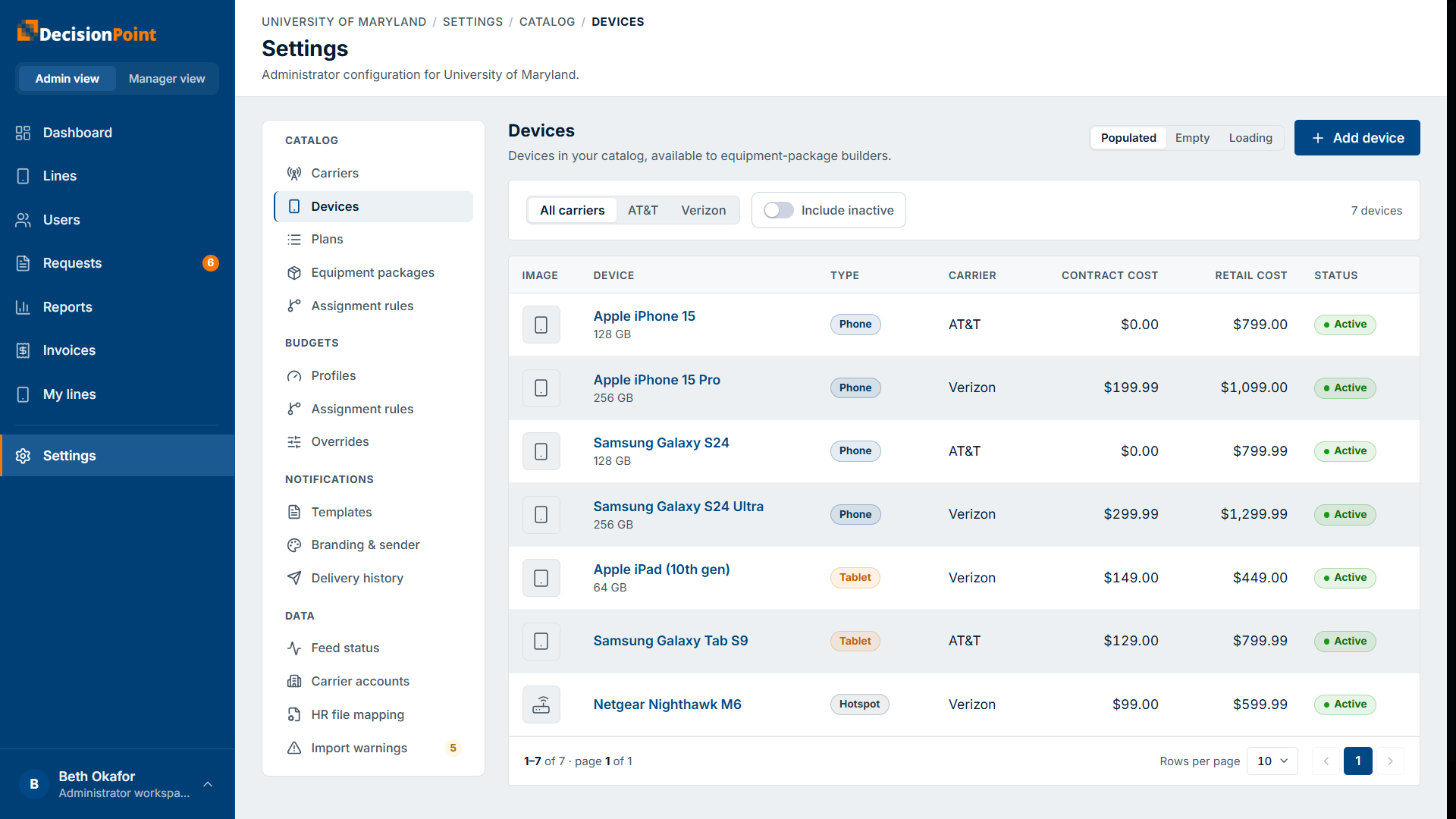
Each device shows its type (phone, tablet, hotspot), carrier, contract cost, retail cost, and status. Filter by carrier, and toggle Include inactive to see devices you've retired.
Adding a device
Select Add device. You pick a device from DecisionPoint's master catalog and set your own pricing — you don't define a device from scratch.
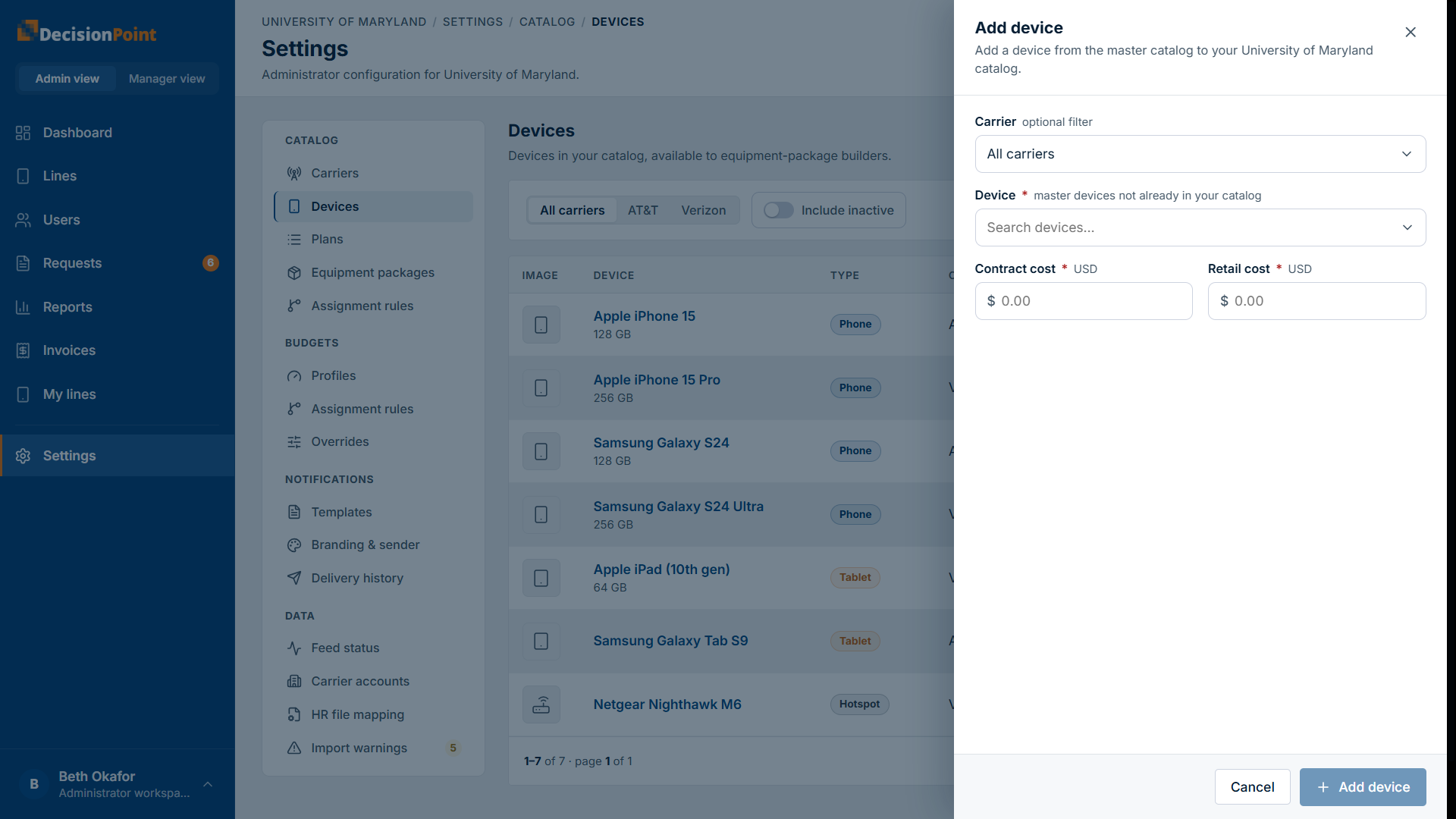
- Device — chosen from master devices not already in your catalog (filter by carrier to narrow the list).
- Contract cost — what your organization pays for the device under contract.
- Retail cost — the full price, used for buy-up devices that a user pays for themselves.
Retiring a device
Devices are deactivated, not deleted — that keeps historical requests and invoices intact. Deactivated devices stop appearing to package builders.
Related
- Carriers — only enabled carriers' devices can be added.
- Plans Catalog
- Administration overview