Organization Usage & Reports
Administrators can see cellular usage across the whole organization, not just their own lines or their team's. The Dashboard gives you an at-a-glance snapshot, Lines lets you dig into any individual line, and Reports rolls everything up for a billing period or date range.
The dashboard
The dashboard opens on your organization's usage and expense for the selected billing period. Filter by carrier, and export the view at any time.
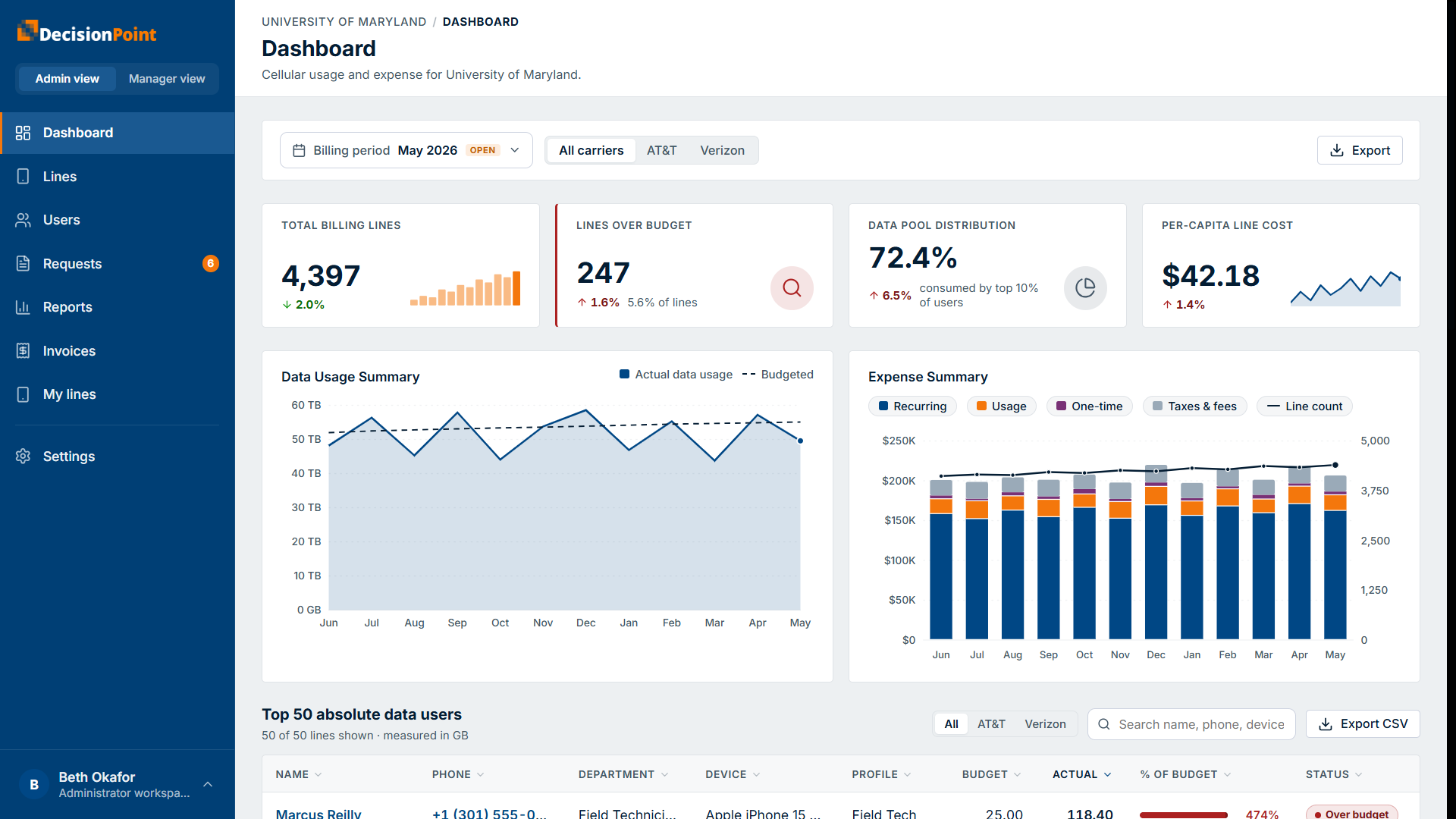
At the top, summary tiles highlight total billing lines, lines over budget, data pool distribution (how much is consumed by your heaviest users), and per-capita line cost. Below them, a Data Usage Summary chart compares actual usage to budget, and an Expense Summary chart breaks spend into recurring, usage, one-time, and taxes & fees.
A top data users table lists your heaviest lines — by name, phone, department, device, budget, actual usage, percent of budget, and status. You can filter it by carrier, search it, and export it.
All lines in your organization
The Lines view lists every line of service across your carrier accounts, with its current-period usage and budget. You can:
- Filter by carrier, account, status, and whether a line is assigned or unassigned — unassigned lines aren't yet linked to a person, so their usage can't be tied to an individual until they're matched.
- Turn on Over budget only to focus on lines that are over.
- Search by phone, user, or IMEI, and export the list.
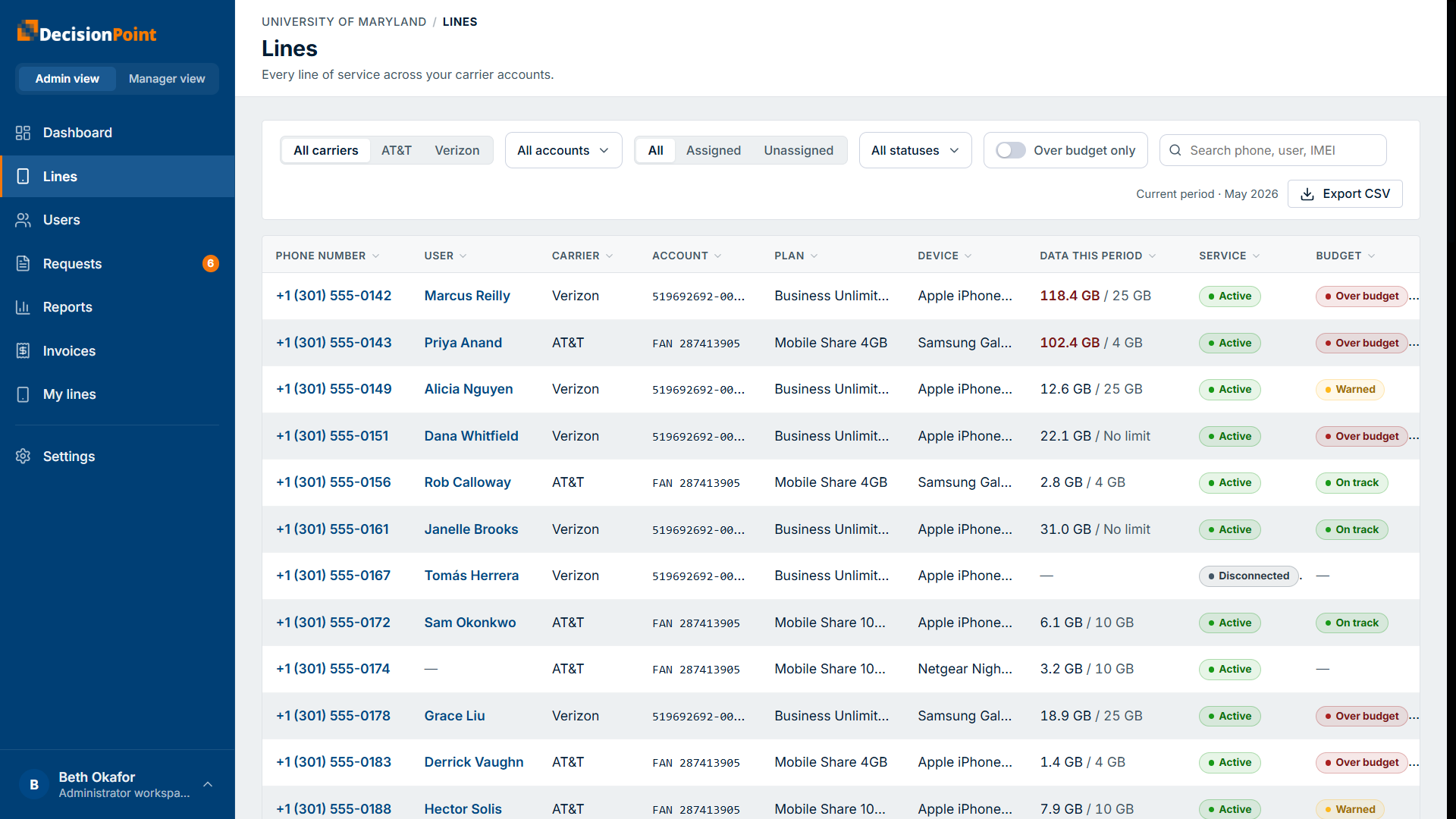
Each row shows the phone number, assigned user, carrier, account, plan, device, data this period against the line's limit, service state, and a budget status of On track, Warned, or Over budget.
Line detail
Select a line to open its detail: its identifiers and service, the assigned user and budget (profile, line data limit, line cost limit), and its contract (activation, contract dates, and upgrade eligibility). A per-dimension status shows whether data, voice, messaging, and cost are on track or over for the period.
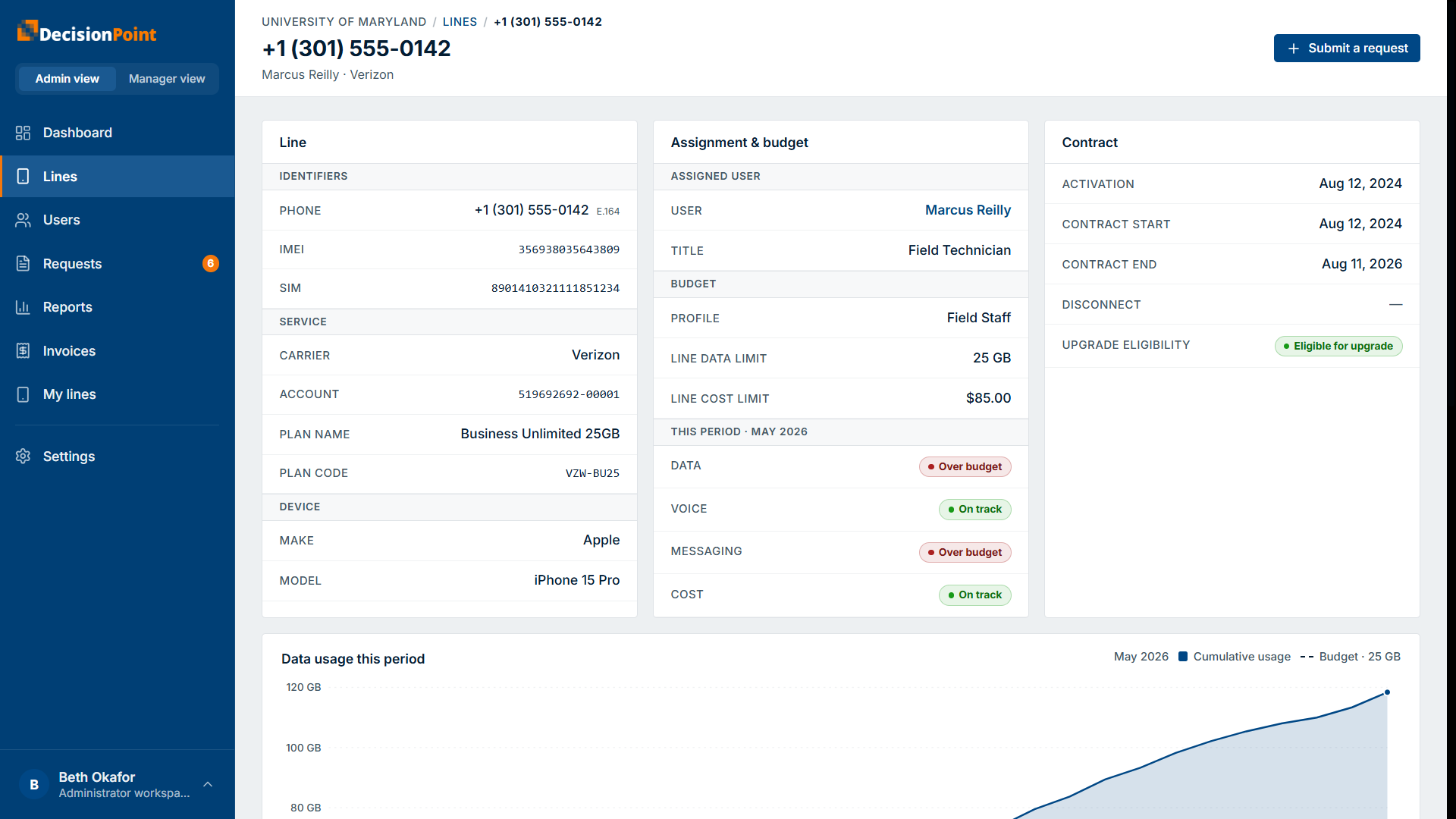
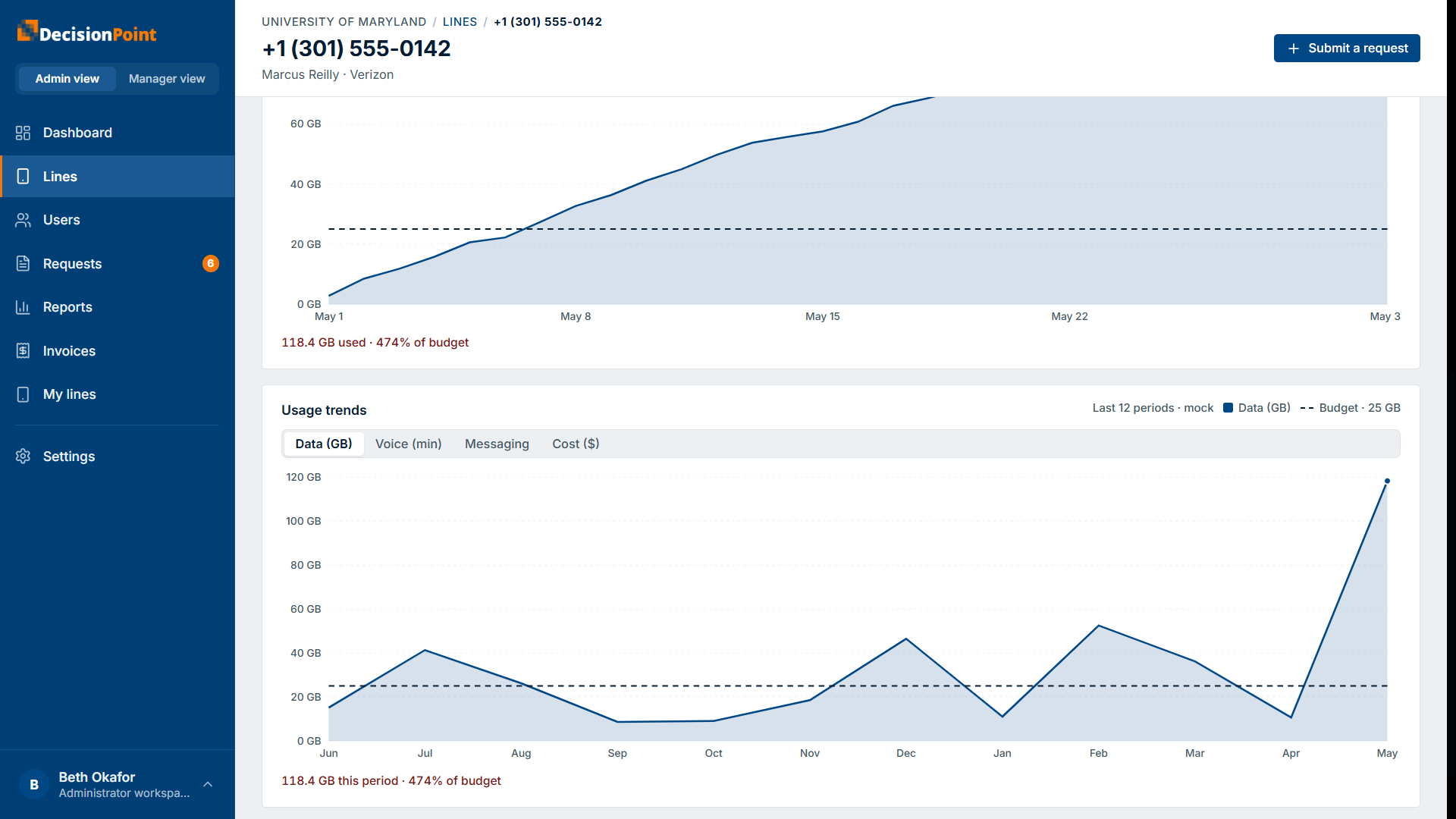
Below that, a chart plots cumulative usage this period against the line's budget, and a usage trends view shows the last several periods with tabs for data, voice, messaging, and cost — useful for understanding when usage built up on a line that's over budget. You can also submit a request for the line directly from here.
Reports
The Reports page produces organization-level reports for a billing period or a date range, scoped to the whole organization or a narrower slice. Choose from:
- Usage summary — data usage vs. budget across the period, with top users.
- Over-budget users — every line over its data budget, ranked by overage.
- Expense breakdown — recurring, usage, one-time, and taxes for the period.
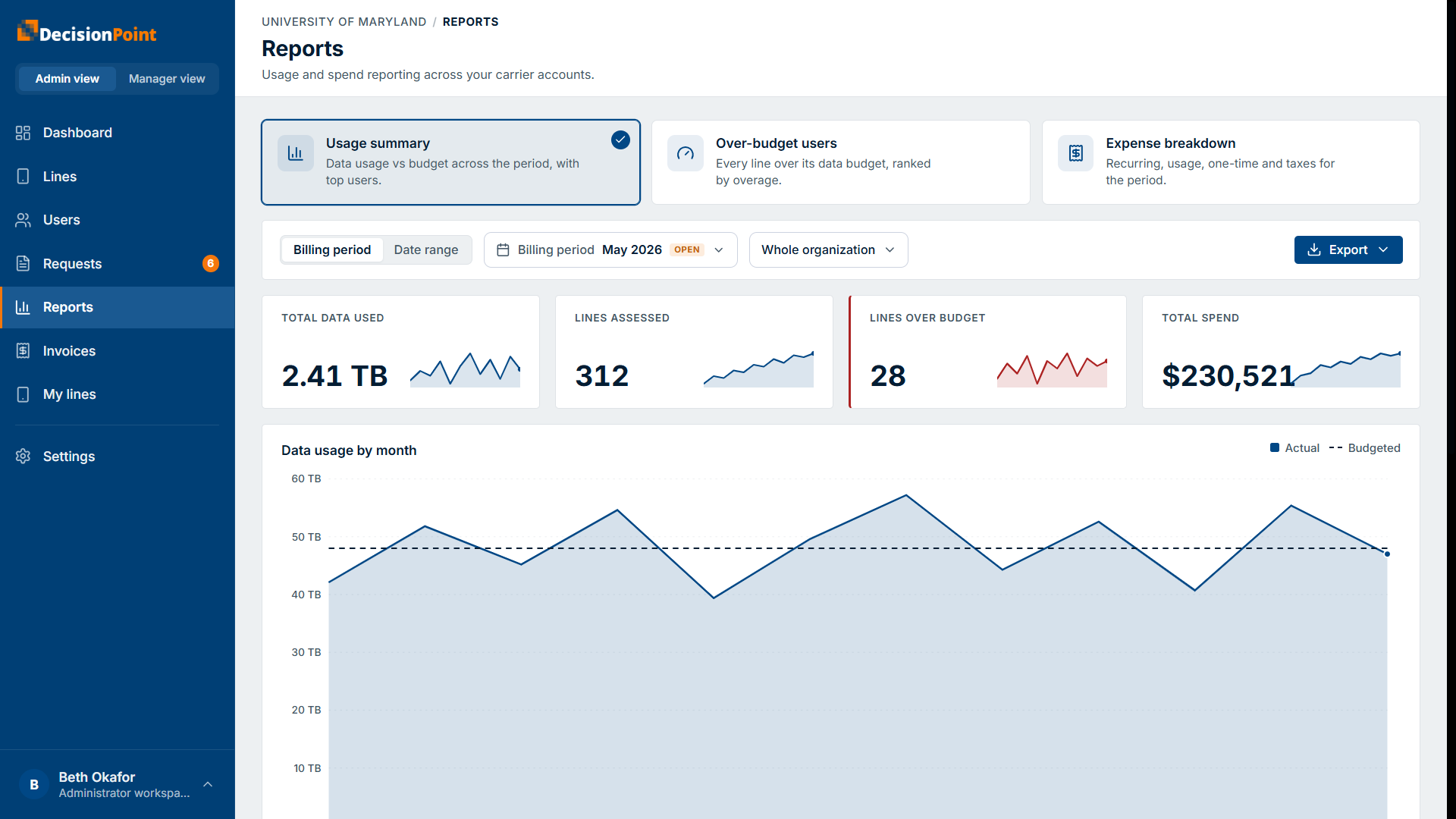
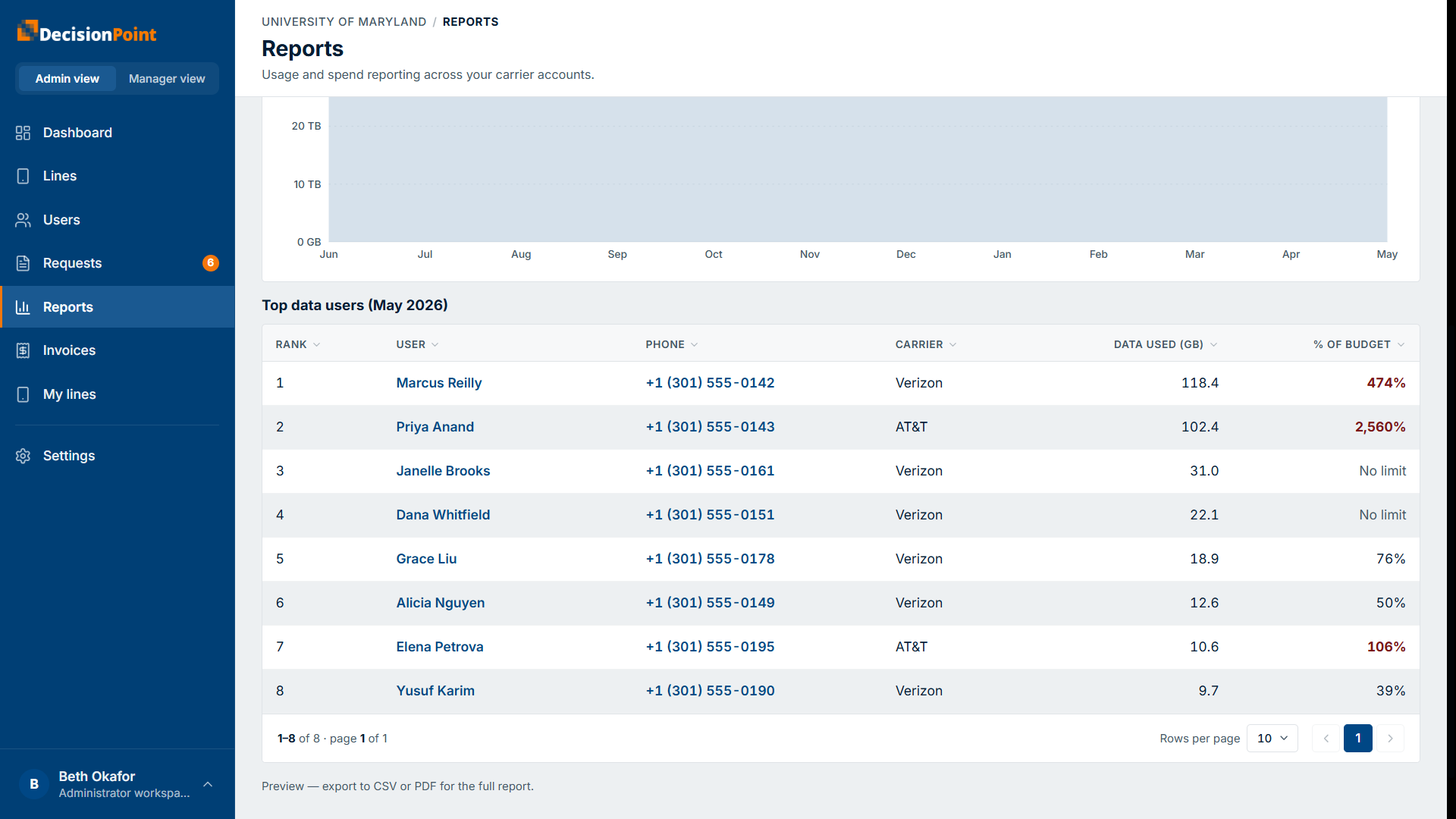
Summary tiles show total data used, lines assessed, lines over budget, and total spend, above a usage-by-month chart and a ranked table. Export the full report to CSV or PDF.
Which figures are current vs. final
The dashboard and lines views show the running, unbilled estimate for the open period; reports for a closed period show the confirmed, billed figures once the carrier's invoice is processed. The two can differ slightly. See Understanding Usage & Budgets.
Related
- Understanding Usage & Budgets — billing periods, budgets, and unbilled vs. billed.
- Viewing Your Usage — your own lines.
- Overage Alerts Explained — how the portal warns about overages.